
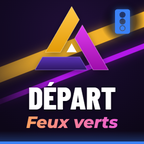
Stream Deck, all the packs
8 packs together · 10.8 MB
The 8 icon packs, 120 keys in total.
€19
SoonDetails
Shop · Stream Deck
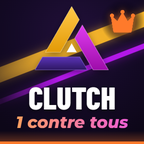 Clutch · Shows the clutch banner when you win the round alone against several players.
15 Stream Deck keys. The moments that make a shooter stream.
The moments that make a shooter stream. 15 matching icons, in 288, 144 and 72 pixels, each with the action it is made to trigger: clutch, ace, headshot, triple kill, victory…
Payment by Gumroad, our official merchant: it takes the payment, adds your country's VAT at checkout and delivers the files. Price excludes VAT.
Version in your style: stream deck pack in your style from €60. Request a quote
What you get
Installation · Stream Deck
In the Stream Deck software, drag the action you want onto a key (switch scene, mute the mic…). ACTIONS.txt says what each icon is meant for.
In the key's panel, click the small arrow on the image and load the icon from a file: 144 px for a standard Stream Deck, 288 px for finer screens, 72 px for older models.
One page per pack (sound, scenes, chat…): you find the keys in the same place every stream.
License, in plain words
The full text is in LICENCE.txt, inside the ZIP. The game names mentioned are trademarks of their publishers; Aghenor.TV is not affiliated with any of them and no element from the games is sold.
Also included in
8 packs together · 10.8 MB
The 8 icon packs, 120 keys in total.
5 packs together · 33.1 MB
The whole overlay package for a tactical FPS channel, in a single purchase.
Questions
No, they are icons. You put them on your keys and assign them the action in the Stream Deck software. For keys wired to your stream, there is custom work.
Another question? Write to usRight after payment, Gumroad emails you a receipt and the product lands in your Gumroad library: you download the ZIP there, with its installation guide.
Another question? Write to usGumroad, our official merchant. The payment opens over this page, without leaving it. Gumroad adds your country's VAT or tax at checkout and sends you the receipt.
Another question? Write to usYes, on your own channels and in your content: live streams, rebroadcasts, clips, videos. Reselling and sharing the files are not allowed.
Another question? Write to usNo. The previews marked demo run on the visuals from Aghen0r's channel. The files sold are original creations, with no character, logo or set belonging to a publisher.
Another question? Write to us