
Apps and Stream Deck
We don't just sell overlays. We also build the apps that make a streamer's life easier, and we test them first on Aghen0r's channel.
Auto overlay
It reads what's happening in the game and switches screens on its own: starting soon, match, break, end. On Rocket League, it's wired to the game's official stats API: score, players, boost, goals, replays.
Remote
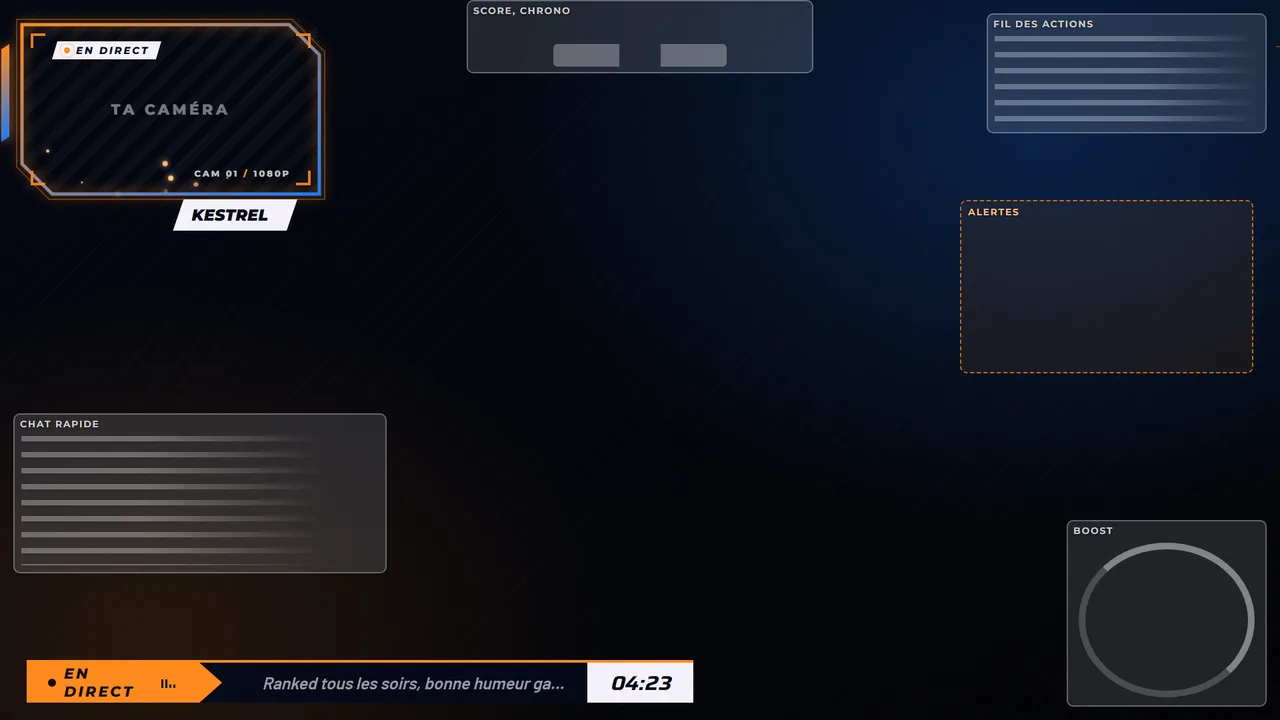
An invisible, always-on source that drives the stream: scene switching, webcam placement, an animated frame placed around the face. It talks to Streamlabs through its API; the OBS version is in the works.
Stream control room
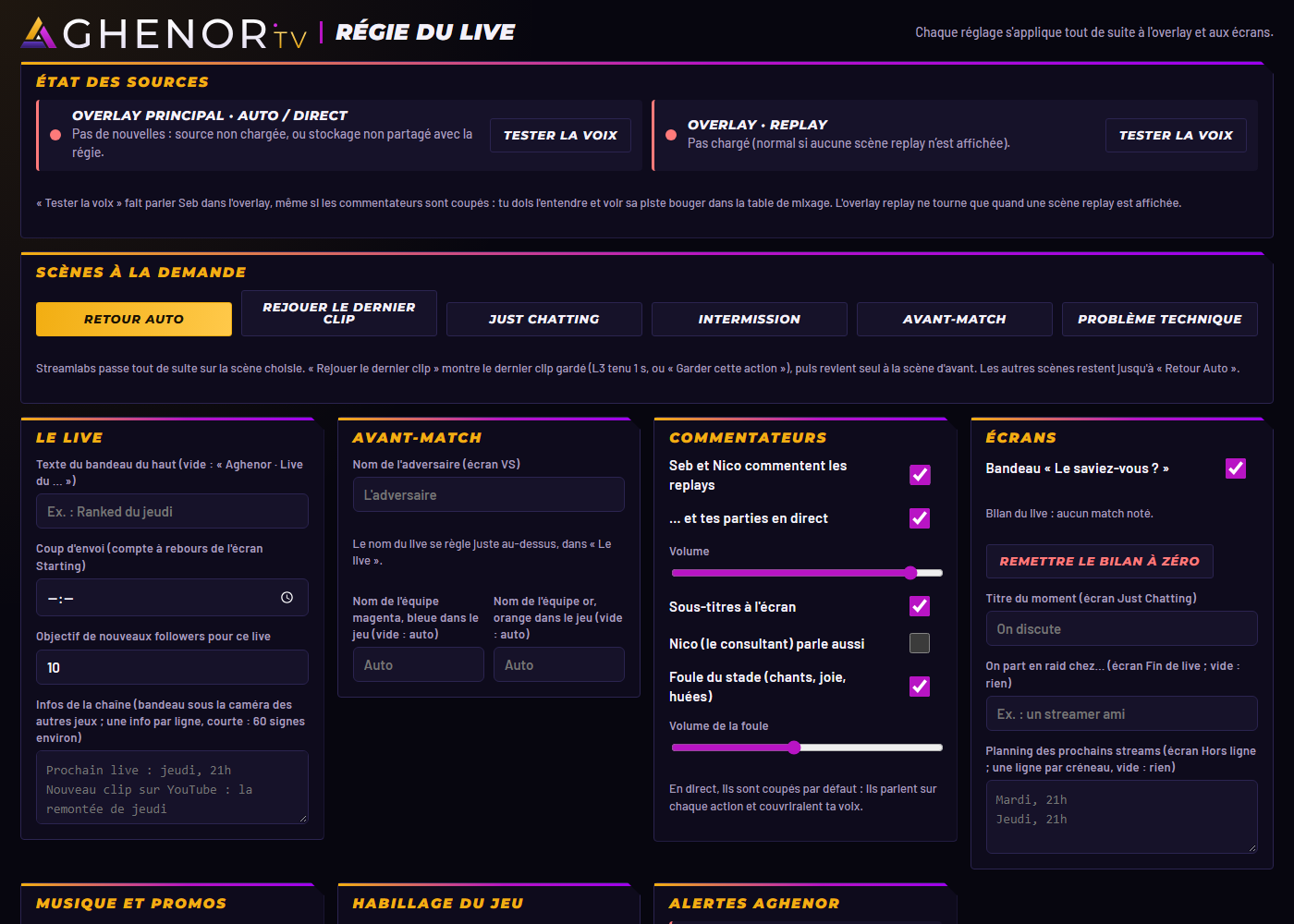
All settings in one place: ticker, countdown, goals, on-demand scenes, music, alerts. Each setting applies to the overlay right away.
Stream Deck
120 icons that match your overlay, in 8 packs of 15 keys, and the actions that go with them. Switch packs like you switch profiles, press a key to see what it triggers: three of them already drive Aghen0r's stream.
Auto scenes
Opens the auto scenes viewer, game by game, with the real overlay pages.
Aghen0r's channel · 15 keys · PNG 288, 144 and 72 px. The keys from Aghen0r's real Stream Deck.
Custom app · indicative prices
What it costs.
Three tiers to give you an idea. The final quote depends on what the tool has to do, and you get it before any commitment.
- Automation€150 to €400
Your repetitive actions run in a single move.
Includes: up to 5 automated actions (switch scene, mute the mic, play a sound, a countdown…) on one app, OBS or Streamlabs, installed remotely on your PC, with a short walkthrough.What raises the price: more than 5 actions, Stream Deck keys with icons in your colours, OBS and Streamlabs together, actions that fire on their own (chat, timer, match start). - Live control room€400 to €900
Your whole stream run from a single panel.
Includes: a panel in your browser or on your phone, in your colours, fitted to your scenes, to switch scenes, place your webcam and trigger 3 elements of your choice (banner, countdown, goals, music). On Streamlabs.What raises the price: more elements (alerts, slow-motion replays…), the OBS version, access for your mods, the panel on Stream Deck too. - Custom buildfrom €1,000
A tool built for your channel.
Includes: one tool, your pick: an overlay that follows your match live (score, stats, highlights shown on their own) on a game that shares its data (Rocket League, CS2, League of Legends, Dota 2), or a Twitch integration (subs, channel points). Feasibility check before the quote.What raises the price: several games, a game the studio doesn't know yet (to install and test before pricing), game and Twitch combined, custom-made animations.
A period of fixes is included after delivery. As an option, a maintenance plan: if an update to the game, OBS, Streamlabs or Twitch breaks the tool, we get it working again for €50 per fix. If the update means rebuilding a large part of the tool (a game that completely changes its data, for example), it's quoted separately.
Nothing to install in most cases: the tool runs in OBS, Streamlabs, your Stream Deck or your browser. Only some game overlays need a small program, delivered ready to run.
Questions
Q-01Can I install them myself?
Today, these apps run on Aghen0r's PC. Making them installable on your side, with a step-by-step guide, is the project in progress. Sign up to be notified, or ask for a custom app.
Q-02Does it work with OBS?
The overlay pages are placed as browser sources in OBS and Streamlabs alike. Automatic scene control goes through the Streamlabs API today, and through obs-websocket for OBS, in the works.
Q-03Does the Rocket League overlay work from a website?
No: the game only sends its stats to the PC it runs on, and recent browsers block an online page's access to the PC. The overlay is therefore installed on your side, as local files.
Q-04What exactly are the Stream Deck icons?
120 icons in the channel's colors, as PNG 288, 144 and 72 px, sorted into 8 packs of 15 keys: scenes, sound, chat, moderation, effects, FPS, racing and the keys of Aghen0r's channel. You download a pack as a ZIP and link each key to your action in the Stream Deck software. Three of them already drive Aghen0r's stream: auto scenes, slow-motion replays, Twitch title.
An app made to measure.
Remote, control room, scene automation, Stream Deck keys: describe what you do by hand, we automate it.